Anker PowerExpand 8-in-1 vs Baseus Spacemate 11-in-1 Docking Station
Anker PowerExpand 8-in-1 ($50) vs Baseus Spacemate 11-in-1 Docking Station ($149.99) — side-by-side specs, weight, pros and cons to help you pick the right usb hub.
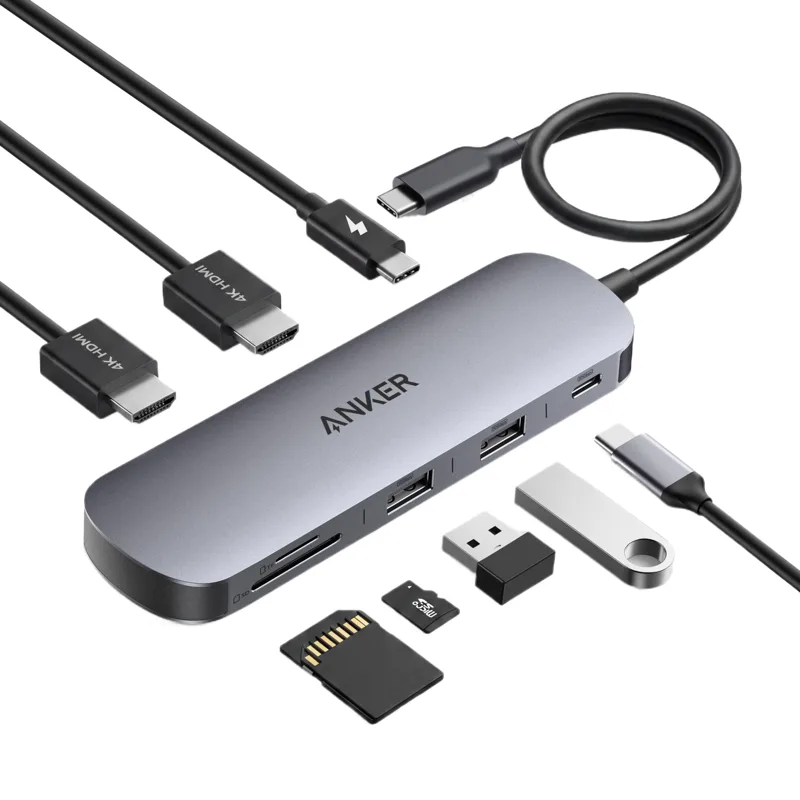

Spec-by-spec
| Spec | Anker PowerExpand 8-in-1 | Baseus Spacemate 11-in-1 Docking Station |
|---|---|---|
| Price | $50 | $149.99 |
| Weight | 103g | 485g |
| Ports | 8 | — |
| HDMI | 4K@30Hz | — |
| Power Delivery | 100W | — |
| USB-A | 3x USB 3.0 | — |
| Card Reader | SD + microSD | — |
| Weight | 103g | ~485g (approx, from a retailer listing; Baseus publishes dimensions only) |
| Video | — | 2 HDMI, 2 DisplayPort, triple 4K on Windows |
| Data | — | USB-C and 2 USB-A at 10Gbps, USB-A 2.0 |
| Power | — | 100W USB-C PD input |
| Network | — | Gigabit Ethernet |
| Size | — | 6.6 x 6.6 x 12.3 cm |
Pros & Cons
Anker PowerExpand 8-in-1
- 100W power delivery charges MacBook Pro
- 4K HDMI handles external monitor connection
- 8 ports in 103g is remarkable density
- 4K@30Hz not 60Hz — video editing limitation
- Single USB-C input creates single point of failure
- Aluminum body gets warm under load
Baseus Spacemate 11-in-1 Docking Station
- Triple 4K display on Windows
- 10Gbps USB ports
- Compact 6.6 cm tower
- Weight is approximate, Baseus publishes none
- Mac systems do not get triple display from this model
Anker PowerExpand 8-in-1 is the better value at $50. Both are part of our curated usb hub index — tap through to check current pricing.
More USB Hub comparisons
Keychron Q1 HE vs Keychron K3 Max QMK/VIA Wireless KeyboardKeychron Q1 HE vs Keychron K2 HE Wireless Magnetic Switch KeyboardKeychron Q1 HE vs Keychron M6 Wireless MouseKeychron K3 Max QMK/VIA Wireless Keyboard vs Keychron K2 HE Wireless Magnetic Switch KeyboardKeychron K3 Max QMK/VIA Wireless Keyboard vs Keychron M6 Wireless MouseKeychron K2 HE Wireless Magnetic Switch Keyboard vs Keychron M6 Wireless Mouse